
Filza File Manager 4.0.0 updated
Filza File Manager, a powerful file manager for iPhone, iPad and iPod touch
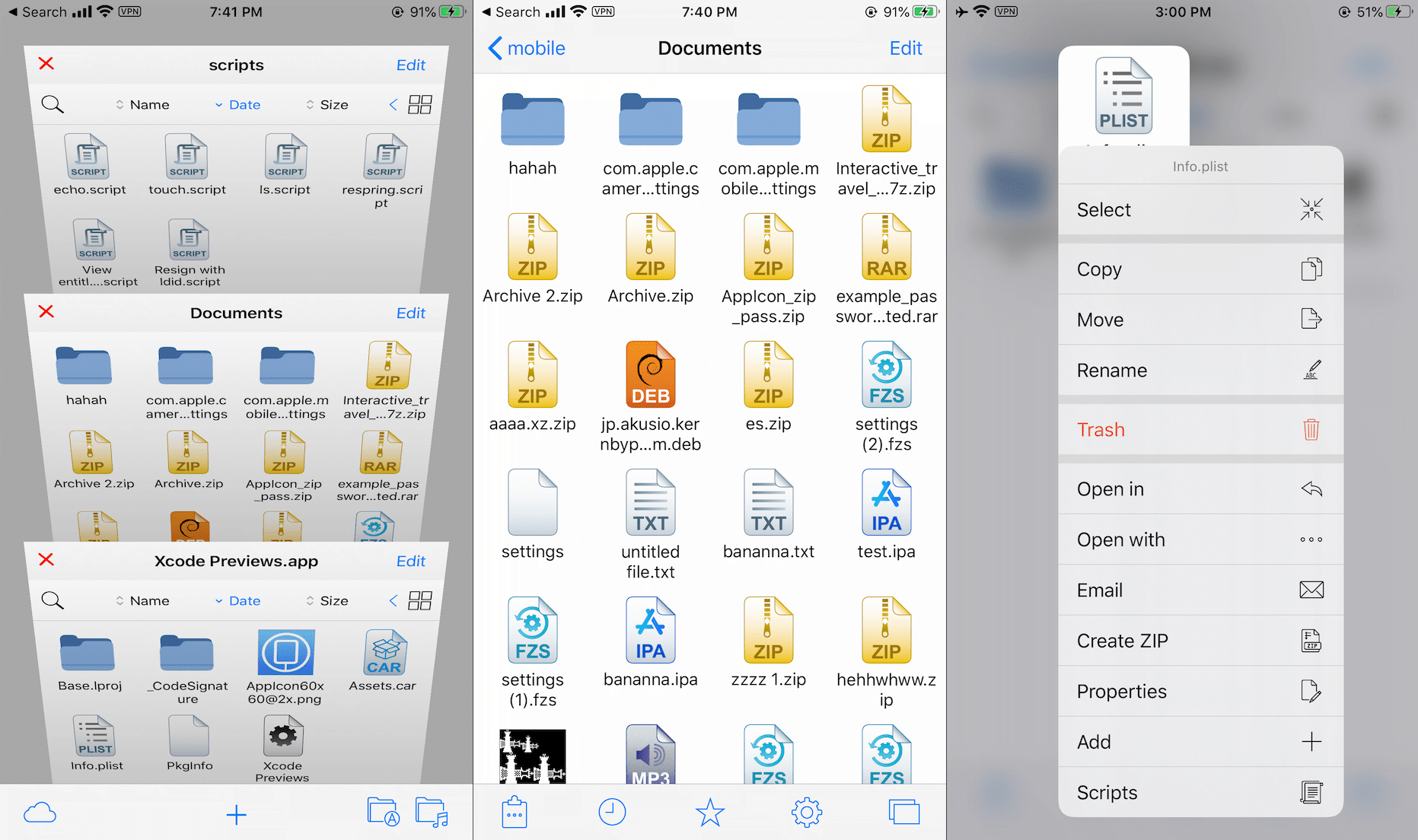
Explore files and folders in list view or grid view. View and edit files with powerful viewers, including a media player, plist editor, hex editor, text editor, …
Filza can also view Office files: Word, Excel, PowerPoint …
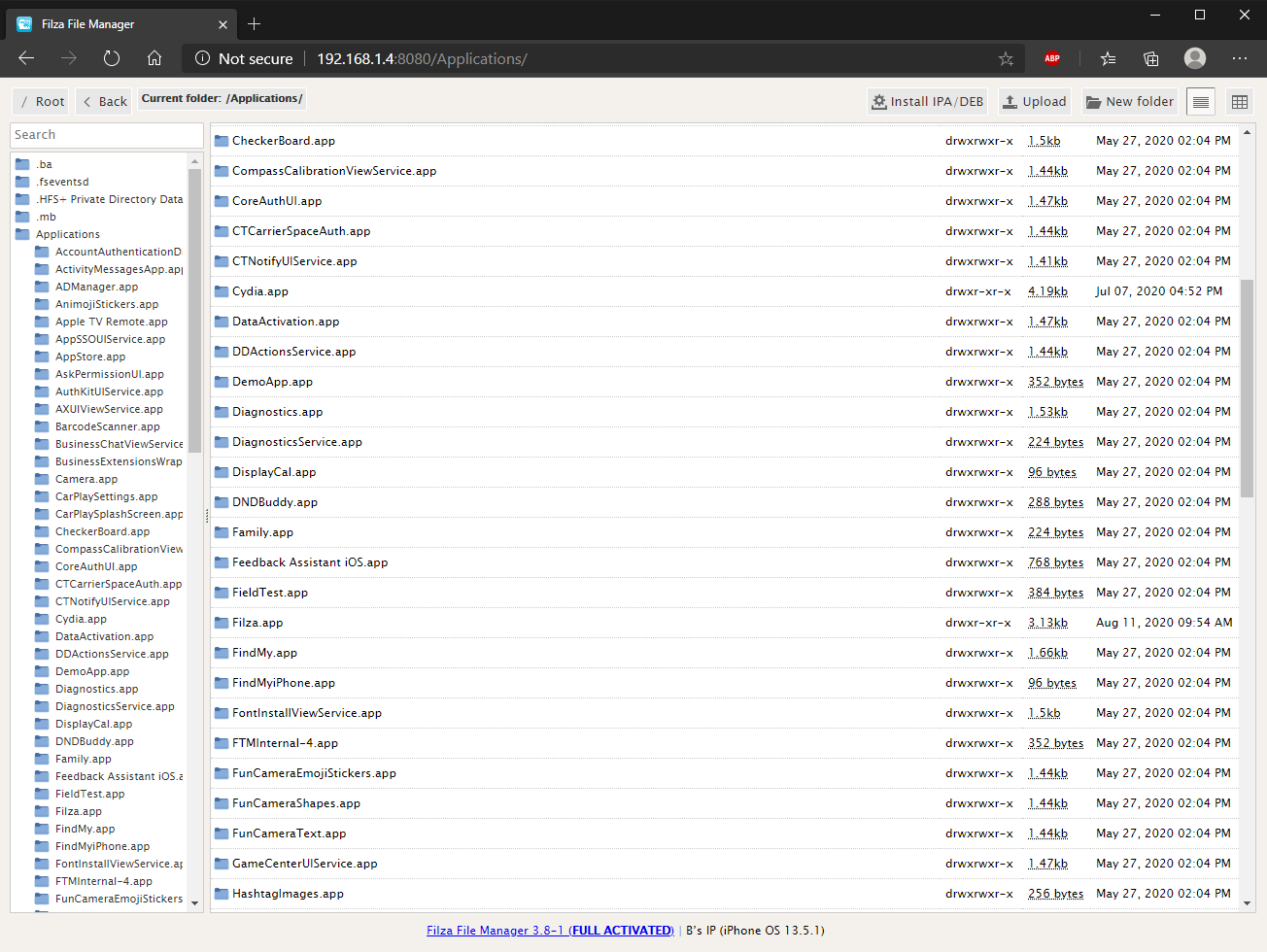
Share files between your computer and your device with Air Browser
Terminal: run shell scripts and console apps
Manage the iPhone music library easily: import/export/rename/delete …
Installer: view details, install or extract IPA and DEB packages
Manage applications: list all installed applications, uninstall or install apps
Music library: manage the music library and import/export/rename/delete just like normal files
Create DEB files, manage file associations and viewers …
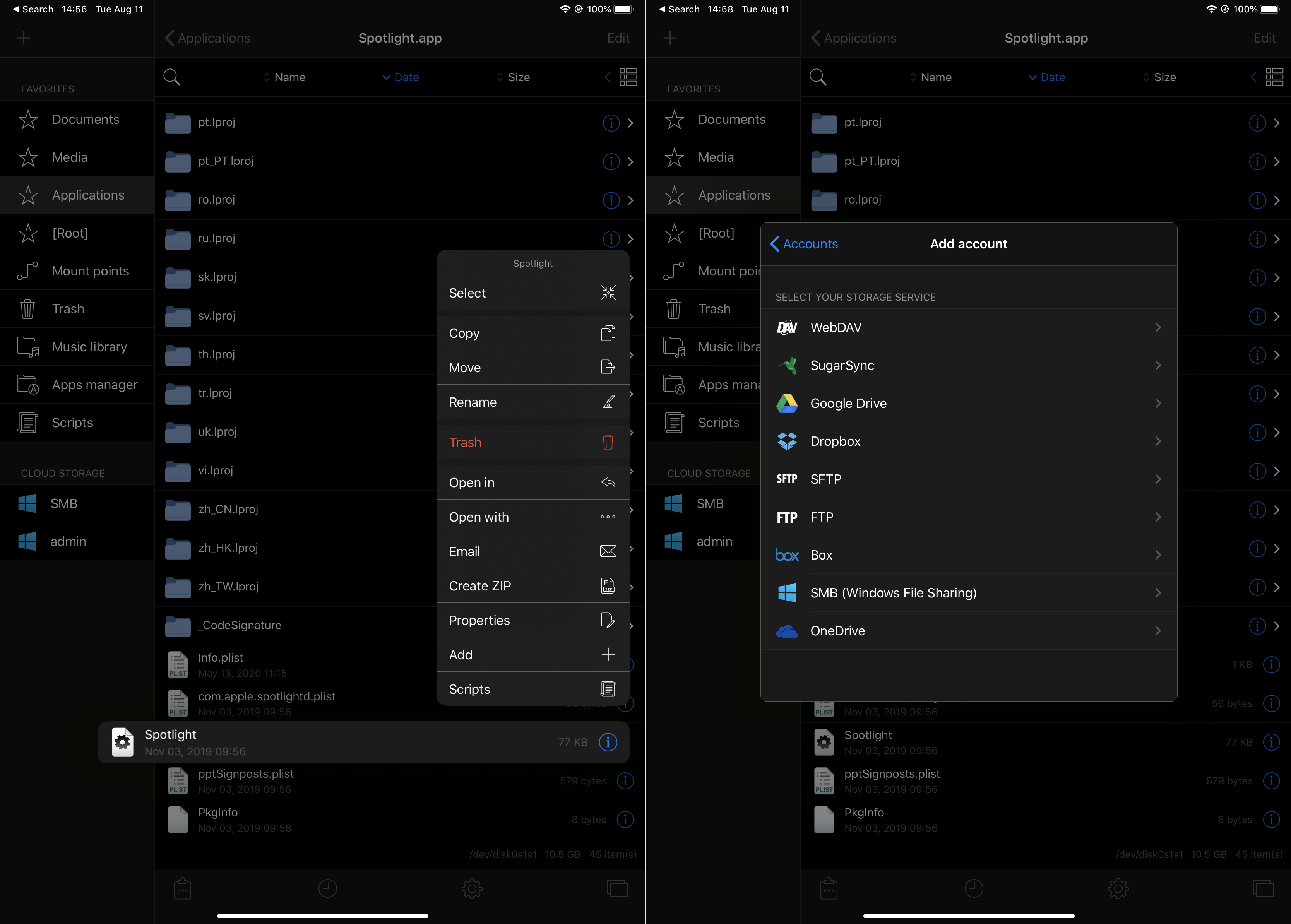
Cloud services: Dropbox, Box, OneDrive, SugarSync, FTP, SFTP, …, and Windows File Sharing (SMB)
Supported Context Menu (iOS 13+)
Supports iOS 7 to iOS 16.x
Note: You should back up your Filza settings before updating
User guide: here
Filza 5.0.1 (beta) requires iOS 15.0 or later. On older iOS versions, use Filza 4.0.x (links below).
IPA file (v5.0.1-b3) for TrollStore: https://tigisoftware.com/download/Filza_5.0.1_b3.ipa
IPA file (v5.0.1-b3) (Hidden: no url scheme filza://, own app container, separate bundle ID) for TrollStore: https://tigisoftware.com/download/Filza_Hidden_5.0.1_b3.ipa
IPA file (v4.0.0-b3) for TrollStore: https://tigisoftware.com/download/Filza_4.0.0.ipa
IPA file (v4.0.2) (no url scheme filza://) for TrollStore : Download v4.0.2
IPA file (v4.0.0-b3) (no url scheme filza://) for TrollStore : Download v4.0.0
IPA file for TrollStore: https://tigisoftware.com/download/Filza_3.9.8.ipa
IPA file (no url scheme filza://) for TrollStore: Download
You can install Filza for JB device from BigBoss Repo.
Our dev repo for JB device: http://tigisoftware.com/repo/
Version history:
Updated to version 5.0.1 build 3 (5.0.1-3): (9 Nov 2026)
Search in FTP, SFTP, SMB and WebDAV accounts
Share folders with Open In; new Copy Filza Link
Protected system folders such as DuetExpertCenter can be opened
Fixed a crash when opening a folder that no longer exists
Faster SQLite viewer and stability fixes
Updated to version 5.0.1 build 2 (5.0.1-2): (8 Nov 2026)
Choose the new look or the classic look at first launch, or later in Settings > Look
Classic look: the Filza 4 header and grid view are back; classic file icons by default
Tapping an archive extracts it (Settings > Viewers > Zip Viewer)
Disk Usage and Info improvements
Updated to version 5.0.1: (7 Nov 2026)
New design: list and grid views, menus and viewers, in light and dark mode
New image viewer with a photo grid
New: Disk Usage (in Favorites), to find what takes space
Archives: 7z (including encrypted 7z), RAR, zip, tar, deb, iso and more; create archives with Compress
FTP/FTPS rewritten, with a new File name encoding option for servers that use Chinese, Japanese, Korean or Cyrillic file names
SMB2/3 rewritten; SMBv1 still supported
SFTP: ed25519 and OpenSSH-format keys, with or without a passphrase
Updated Dropbox sign-in and WebDAV server
Voice Memos recordings (.qta) play in the media player
Add folders from the Files app to Favorites
Updated to version 4.0.2: (24 Jul 2024)
Updated Filza for TrollStore (No URL Scheme version)
Updated to version 4.0.0: (10 Jan 2023)
Supported line numbers for TextEditor
Fixed laggy Apps Manager
Added xina jailbreak (rootless) environment variables. Now supports dpkg
Fixed text editor line number issue
—–developing—–
Updated to version 3.9.8: (30 Oct 2022)
Fixed zip/unzip issue on /var/containers/…
Updated to version 3.9.7: (29 Sep 2022)
Fixed Dropbox issue. You may need to delete and re-add your Dropbox account
Fixed blank icon issue for some JB devices
Updated to version 3.9.6: (28 Sep 2022)
Bug fixes
Updated to version 3.9.5:
Supported iOS 15.x TrollStore
Terminal now supports Fish shell (TrollStore version only)
UI improvements & bug fixes
Check Filza settings > Changelog for more info
Related Posts


About The Author


Issue1: The older version allowed you to copy path of files / folders from inside of properties (and maybe more elements). I already miss this feature and might downgrade for it ;(
Issue2: it’s not auto sorting when the app is closed and reopened to same page / same list setting but needs to be re-tapped to update list order.
Issue3: there is no way to force scan files when using the new Disk Usage feature, some sections are left “Not accounted” with no option to re-scan. The refresh arrow in corner works sometimes, however, all the scans are lost when the app is closed, and must be re-scanned 🙁
I wanted to clarify that these issues applied to the new 5.0.1-b1 trollstore no-url-scheme version. And after downgrading to 4.0.2 I can confirm that the properties window allows you to copy parent dir and all other elements within the properties window. Please re-introduce this copy feature to the Properties window <3
thank you, I will check and fix the issue
Can you please add a method to make the FTP share strictly read-only so Windows Defender, or any shit windows shoves in like System Volume Information doesn’t ruin my phone, and add a way to strictly sandbox the app data instead of scattering it across the filesystem
ok
Request: symlink creation on sftp
ok, thank you
There seems to be a regression in Filza 5.0.1-3 regarding opening application data directories from external apps.
When using AppData or Apps Manager to open an application’s data folder in Filza, the directory no longer opens correctly.
However, navigating manually to the exact same directory within Filza works perfectly.
This functionality worked flawlessly in Filza 4, so the issue appears to be related to how Filza 5 handles external requests or directory links.
Tested on iOS 17 with Dopamine (rootless jailbreak).
Hopefully this can be fixed in a future update, as direct access to application folders is an extremely useful feature.
Thank you!